Logical service grouping
Group HTTP, cron and browser monitors into named services (payments API, checkout flow, authentication) so your team thinks in services, not individual URLs and ports.
Group your monitors into the services your team runs, then decide what happens when one fails: which escalation policy pages someone, whether an incident opens on its own, and which status page it is published to.
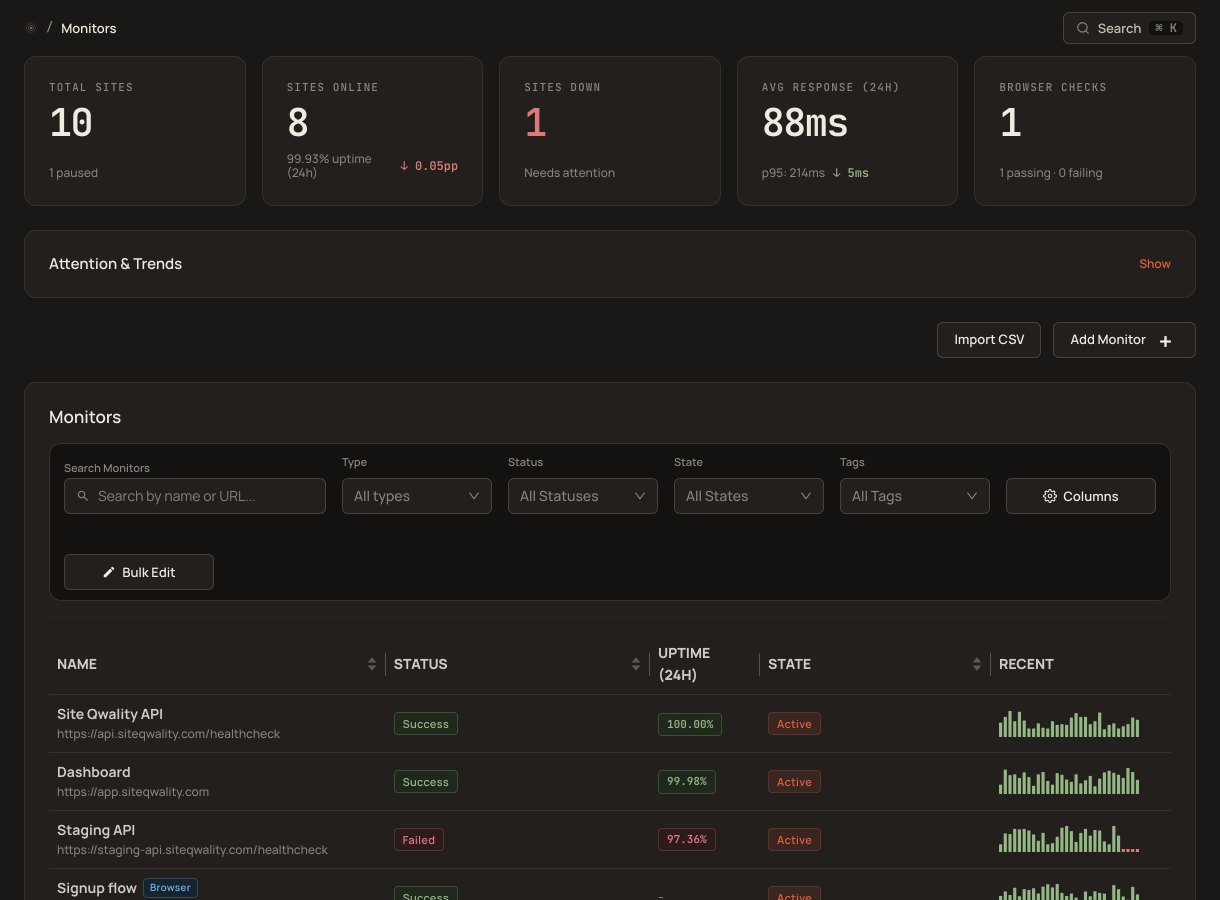
A service is the unit your team actually talks about: payments, checkout, authentication. Link its HTTP, cron and browser monitors, give it an escalation policy and incident settings, and every failure on any of those monitors follows the same plan.
Group HTTP, cron and browser monitors into named services (payments API, checkout flow, authentication) so your team thinks in services, not individual URLs and ports.
Give each service an escalation policy. Its levels can target people or on-call schedules, so a failure pages whoever is on shift without anyone looking it up.
Let a monitor failure open an incident on its service at the severity you choose. Failures inside the merge window join the open incident instead of starting a new one.
When every monitor behind an automatic incident is healthy again, the incident resolves itself and its escalation stops, so nobody has to remember to close it.
Set a status page on a service through the API, and the incidents it opens automatically are published there, so customers see the problem without anyone copying it over. There is no dashboard setting for this yet.
Send a service's incident notifications to its own email address, webhook or Slack channel, alongside whoever the escalation policy pages. A Slack channel target needs a Slack bot token pasted into the target.
Every monitor linked to a service follows its plan. The incident opens with the right severity, the escalation policy pages the right person, and the status page you set gets the incident, without anyone deciding in the moment.
Create services, link their monitors, and set their escalation policy and
incident settings through the REST API. Keep the script in your repo, and
changes go through your normal pull-request process (reviewed, approved,
applied) instead of hand edits in a UI. A scoped API key needs
read:services to read the catalog and write:services to
change it; a full-access key covers both.
place for a service's monitors, escalation and incident settings
manual steps to route an incident to the right team
default severities a service can set: minor, major or critical
free tier, service catalog included from the start
A service is a named group of HTTP, cron and browser monitors. It carries an escalation policy, incident settings (creation mode, merge window and default severity), optional notification targets, and optionally a status page for its incidents, set through the API. It's how your team thinks about your infrastructure, not how your infrastructure is physically arranged.
It depends on the service's incident mode. In automatic mode an incident opens straight away; in manual mode it waits for you to declare it. A failure inside the merge window joins the incident that is already open. Automatic incidents fire the service's escalation policy and, if the service has one set, appear on its status page.
No. A service records its monitors, escalation policy and incident settings. Who gets paged comes from the escalation policy and the on-call schedules it targets. Dependencies between services are not modelled.
Yes. Set a status page on the service through the API, and the incidents it opens automatically are published there. Status page subscribers are not emailed for these automatic incidents.
Yes. Services, their linked monitors and their notification targets are all managed through the REST API, so a script in your repo can keep the catalog in step with what you run.
Uptime, cron, synthetic, logs, RUM, incidents, and status pages. Free tier on every product.